How to play MVP Sudoku
The goal: fill every row, column and 3×3 box with the digits 1 to 9, each digit once.
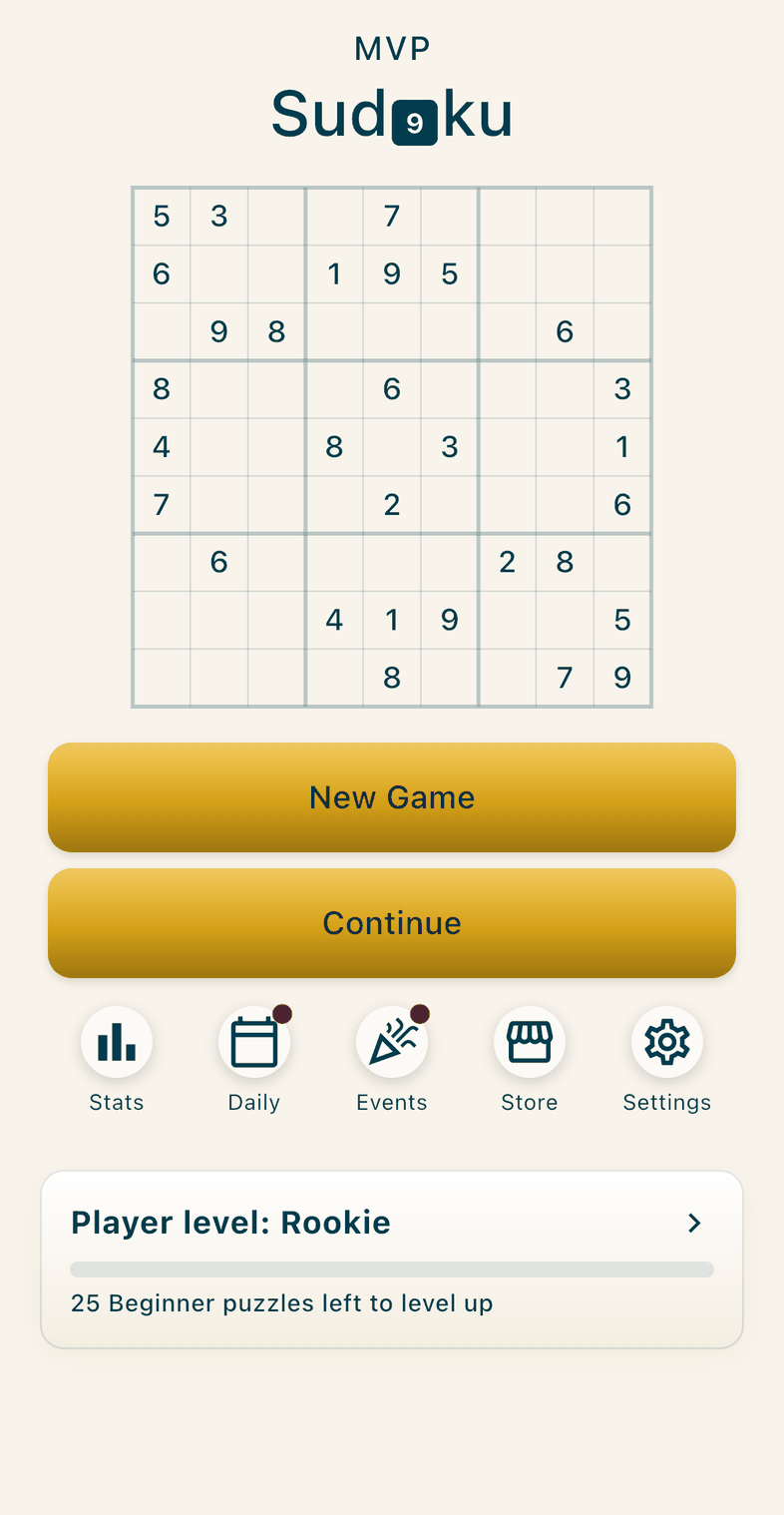
Home screen
- New Game: choose a difficulty and start a new puzzle.
- Continue: go back to the puzzle you were playing.
- Stats: your puzzles solved and best times.
- Daily: the Daily Challenge, one new puzzle every day.
- Events: a monthly event with its own puzzles.
- Settings: dark mode, sound, and the helpers you want on or off.
- A red dot on Daily or Events means a puzzle is waiting to be played today.
- The player level card: the bar shows how many puzzles until your next level. Tap it to see all the levels.
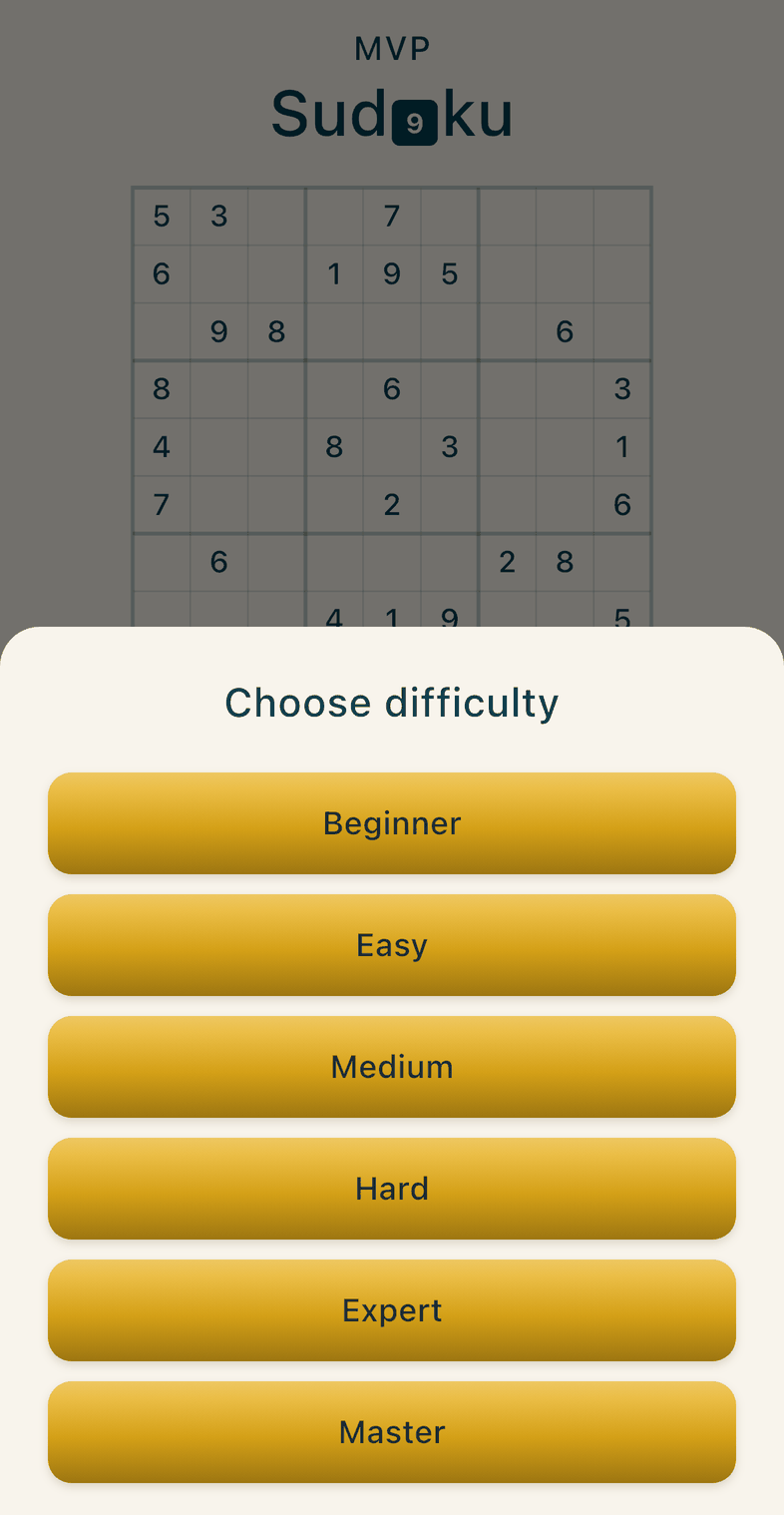
Choose difficulty
- There are six levels: Beginner, Easy, Medium, Hard, Expert and Master.
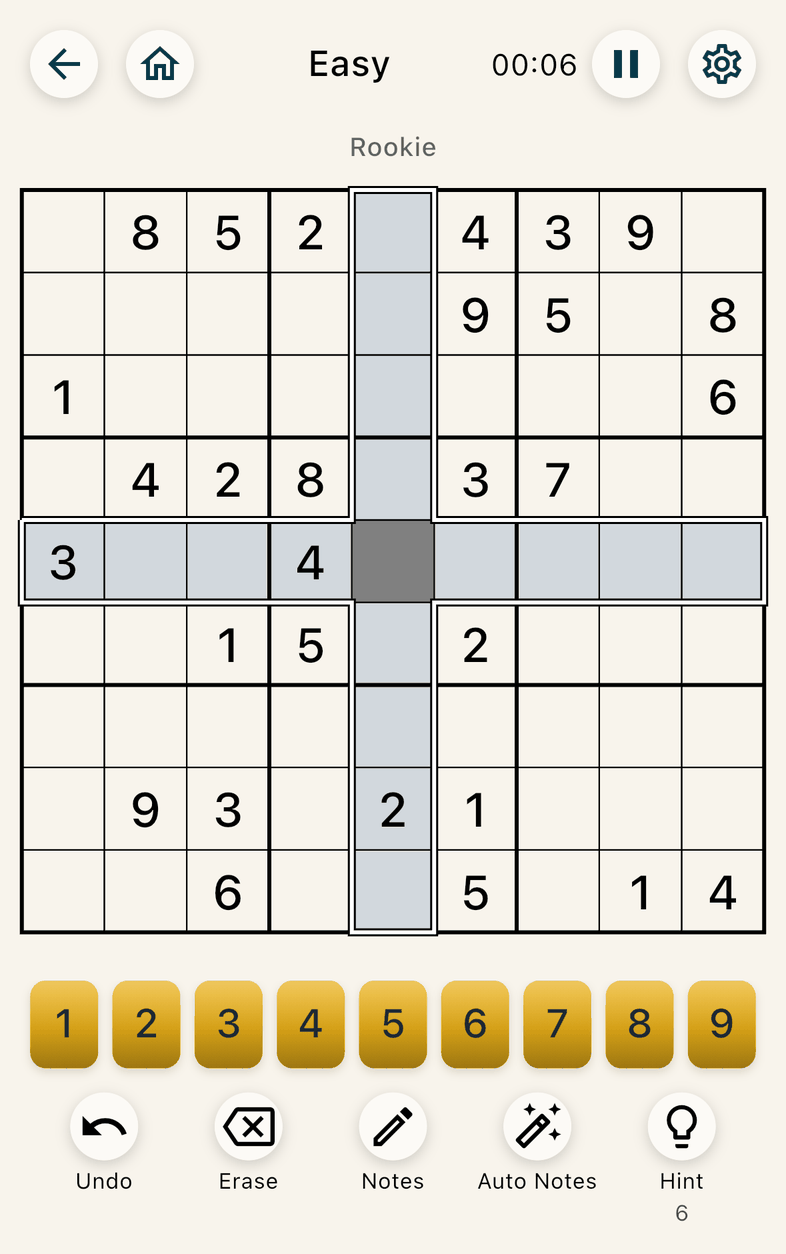
Game screen, top row
- Back arrow: saves your game and goes back.
- Home: saves your game and goes to the Home screen.
- The difficulty is shown in the middle, with your player level under it.
- Timer: it can be hidden in Settings.
- Pause: stops the timer. Tap Resume to carry on.
- Gear: opens Settings.
Playing
- Tap an empty cell, then a number from 1 to 9 to place it. The cell’s row and column are shaded.
- Once all nine of a number are on the board, its button switches off.
- Undo: takes back your last move.
- Erase: clears the selected cell. The puzzle’s own numbers can’t be changed.
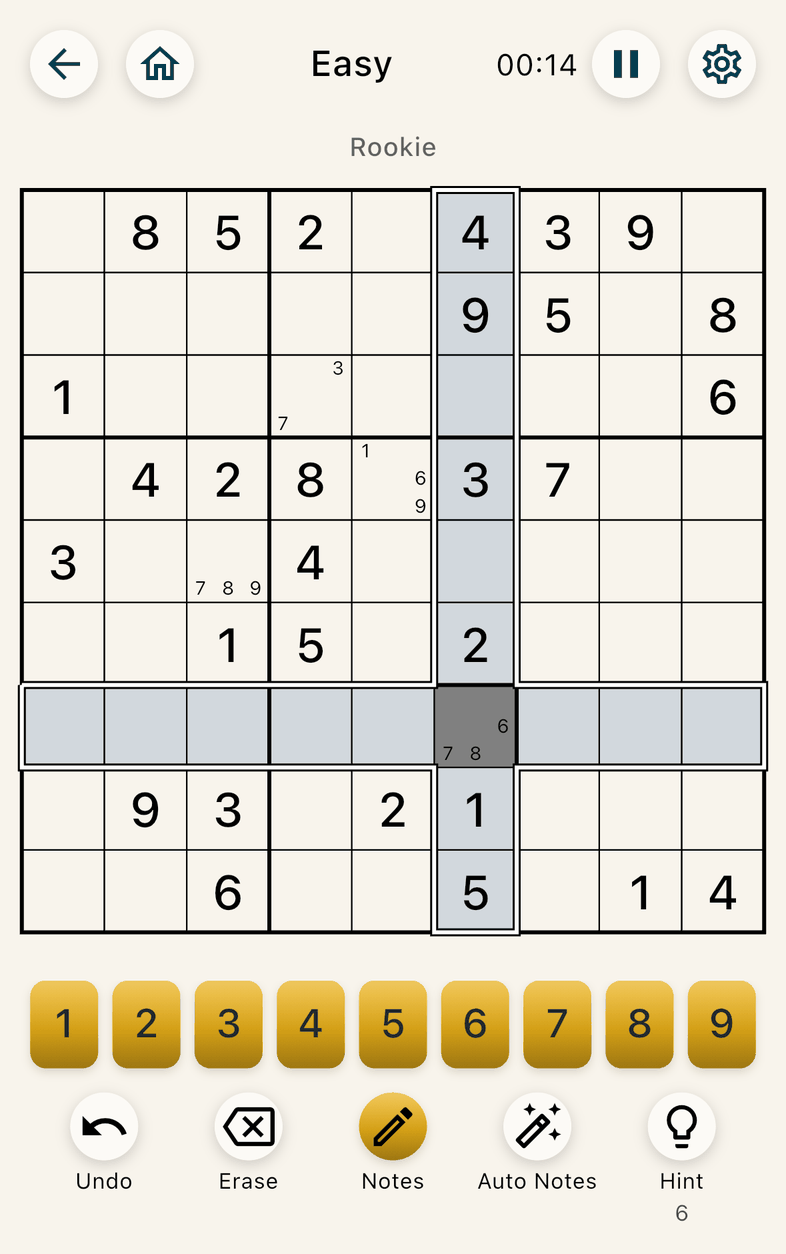
Notes
- Notes: turn it on (the button turns gold), then tap numbers to write small notes in a cell. Tap a number again to remove it. Turn Notes off to place numbers again.
- Auto Notes: fills every empty cell with the digits that can still go there. Tap it again to turn it off.
Hints
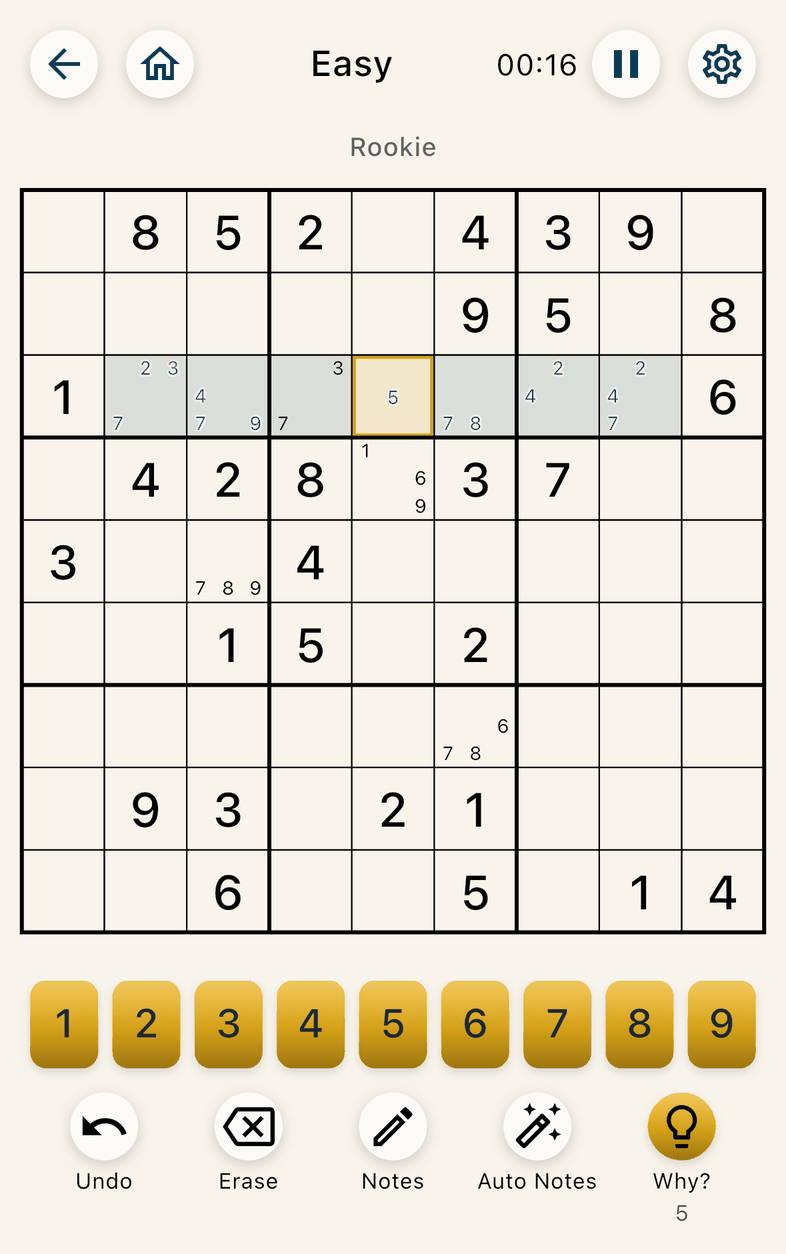
- Hint: shows the next step. The cells involved light up, and the cell to fill is outlined in gold.
- The number under Hint is how many hints you have left.
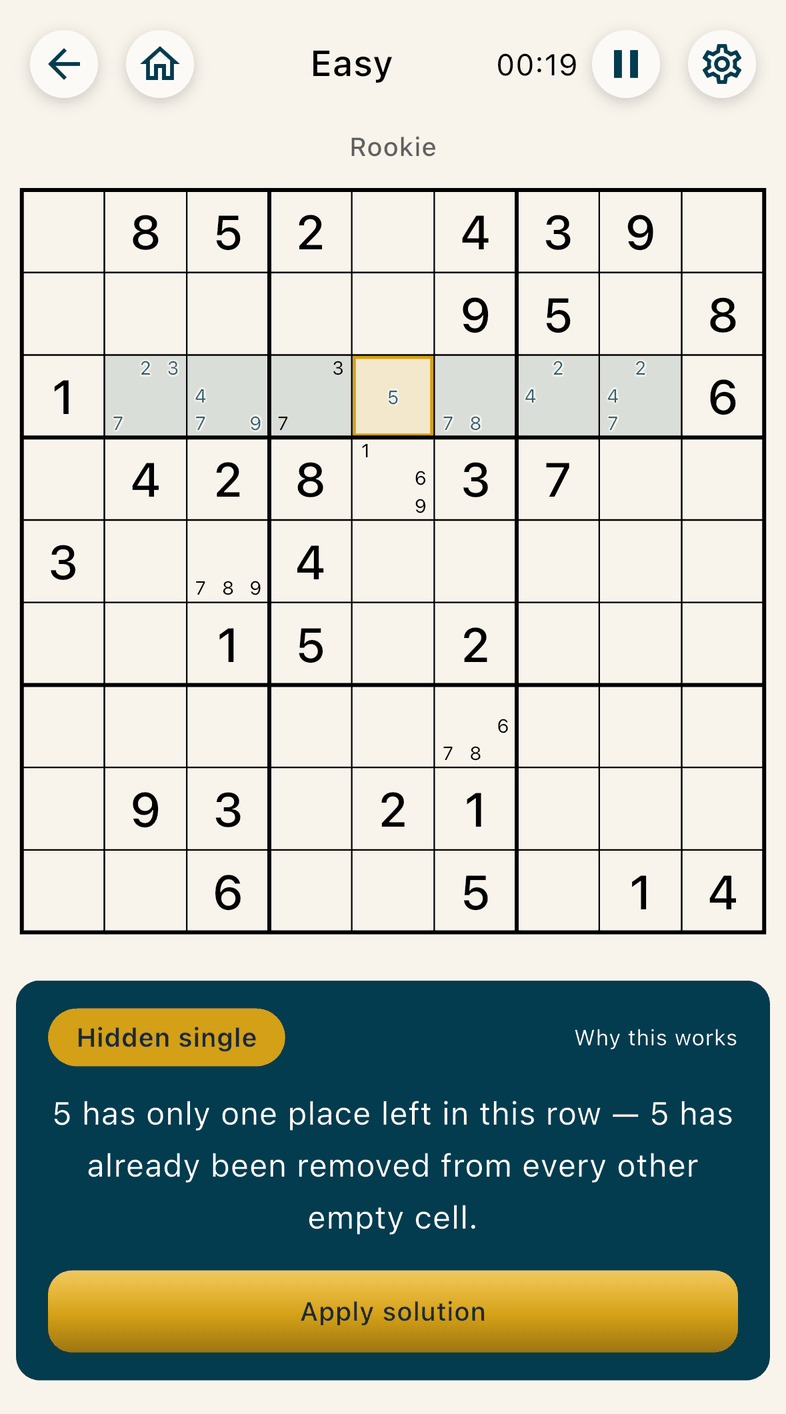
- Why?: while a hint is showing, the Hint button becomes Why?. Tap it to see the technique’s name and a short explanation.
- Apply solution: makes the move for you.
- Hints read your notes. If you have none, the app turns Auto Notes on for you so you can follow the hint.